itermon.
Monitor every running iTerm2 session from one place — send commands to any of them, read their screens, and schedule recurring sends with cron. A zero-dependency CLI and local web admin for macOS.
npm install -g itermonFeatures
- 01
List
Every session across every window, tab, and split pane — with tty, foreground job, and a stable UUID.
- 02
Send
Fire a command at one session, a matched subset, or all of them — from the CLI or the local web UI.
- 03
Read
Print any session's visible screen contents without touching the window.
- 04
Watch
A live auto-refreshing monitor of all sessions, right in your terminal.
- 05
Schedule
Recurring sends with cron expressions, run by an in-process scheduler.
- 06
Activity Log
A live, timestamped feed of every send, cron fire, and error.
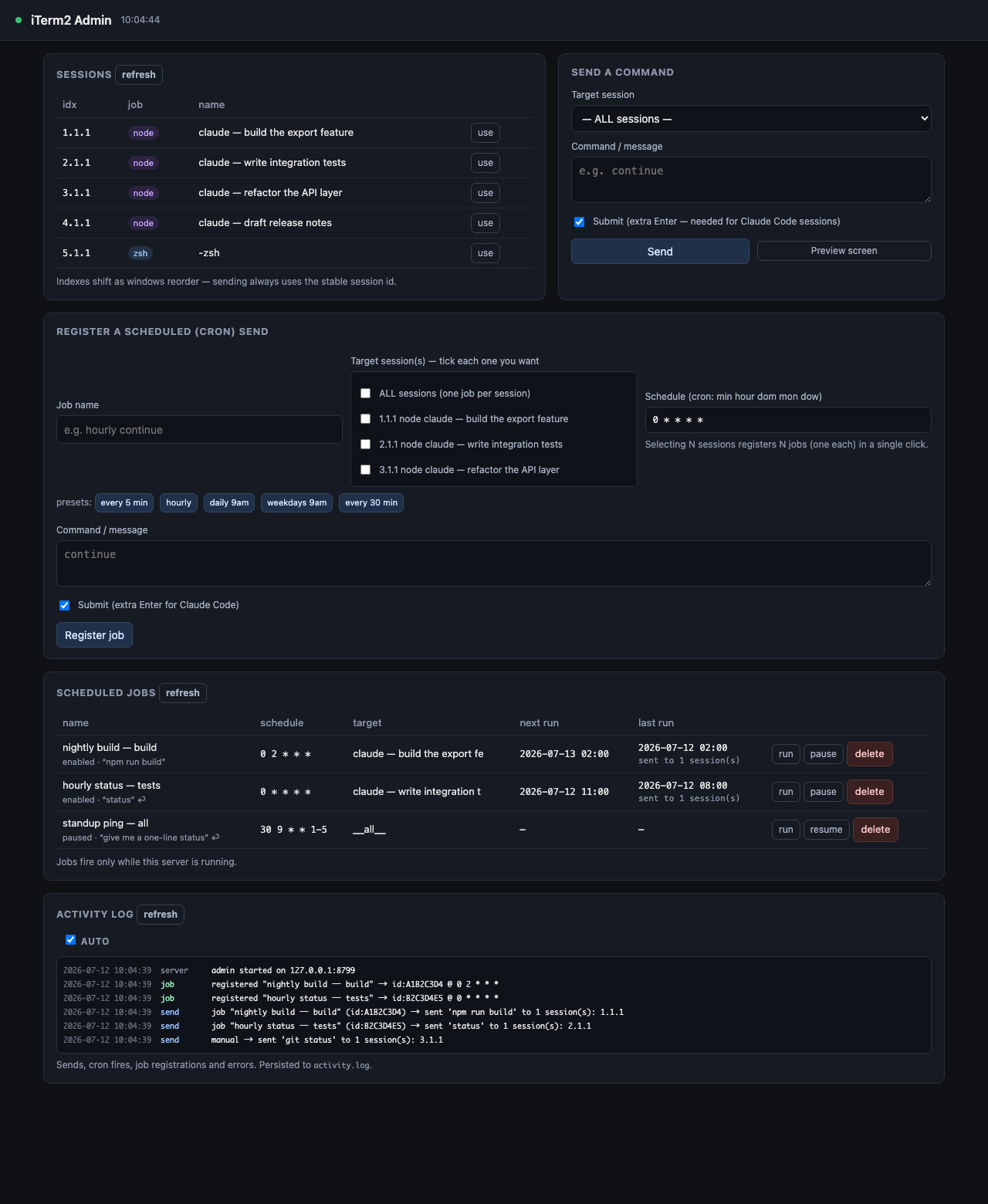
The Web Admin
Chrome Extension
- 01
Alerts
A desktop notification the moment a scheduled send fails or a job misses its slot — with no tab open. The failure finds you instead of waiting in a log.
- 02
Control Panel
Sessions and jobs in the toolbar popup — create, enable, run, and delete scheduled commands, or send one to a single session.
- 03
Activity Log
The same live feed as the web admin, with failed deliveries shown as failures rather than a quiet nothing.
- 04
Local Only
Talks to 127.0.0.1 and nothing else. No content scripts, no account, no analytics, no data collected.
How it works
It is a front end for the itermon server you already run locally — start iterm-admin and the extension finds it. Alerts work the moment it is installed; the panel’s control actions ask itermon to allow the extension once, and it shows you the exact one-line command.
Availability
Chrome extension — Web Store listing coming soon. Until then the source lives in the extension/ directory on GitHub and can be loaded unpacked via Developer Mode.
Install
From npm
$ npm install -g itermon
$ iterm-admin --open   # launch the web admin
$ iterm-ctl list       # the CLI
macOS · needs Python 3.10+ & iTerm2. Zero dependencies — pure Python standard library, no pip install.
From source
$ git clone https://github.com/KuronokiCorp/usageMonitoring.git
$ cd usageMonitoring
$ npm start             # admin at 127.0.0.1:8765
Works straight after clone — no npm install required. The first run triggers a one-time macOS prompt to allow controlling iTerm2.